> Update (January 2026): We have re-verified the bots listed below. With recent changes to Telegram's platform, stability varies day-by-day. This guide reflects the current operational status as of early 2026.
Security & Disclaimer: This article is for educational and research purposes only. Using third-party Telegram bots involves significant data privacy risks and potential copyright infringement. We strongly recommend using official, legal methods or personal recording tools that respect content creator rights.
If you've ever tried downloading Spotify songs via Telegram, you've likely hit the same walls — bots going offline, broken links, poor audio quality, or sketchy bots asking for login credentials. The truth is, most of these bots aren't built to last.
Over the past few months, we systematically security-tested 20+ popular Telegram Spotify download bots across 12 criteria including stability, parsing speed, privacy risks, audio quality consistency, and 2026 viability. The results were eye-opening: some bots only worked briefly, others contained hidden data-harvesting scripts, a few delivered heavily degraded audio, and only a handful performed well — but with long-term uncertainty. Because of these findings, we do not recommend relying on Telegram bots as a long-term solution for accessing Spotify music.
In this guide, you'll learn which bots still actually work, which ones to avoid for safety reasons, and how to set up a reliable, future-proof download solution for 2026.
1. What Are Spotify Downloader Bots on Telegram?
Spotify downloader bots on Telegram are small automation tools that attempt to help users get MP3 files from a Spotify link.
But let's make one thing clear first: these bots cannot download music directly from Spotify's servers — Spotify's DRM protection makes that practically impossible.
So what do they actually do?
When you send a Spotify track or playlist URL to a bot, it reads the metadata such as the song title, artist, and album. Then it searches other platforms — like YouTube, SoundCloud, or third-party audio libraries — for a matching version of the track. Once it finds something that looks similar, the bot grabs that audio and converts it into MP3.
This "indirect matching" approach explains why users often run into problems such as:
- Receiving a completely different version of the song
- Tracks missing intros or endings
- Audio quality that doesn't match Spotify's original sound
- Higher error rates when downloading large playlists
Although Telegram bots are lightweight, installation-free, and easy to try, their technical limitations are equally obvious:
- Quality is inconsistent and often unpredictable
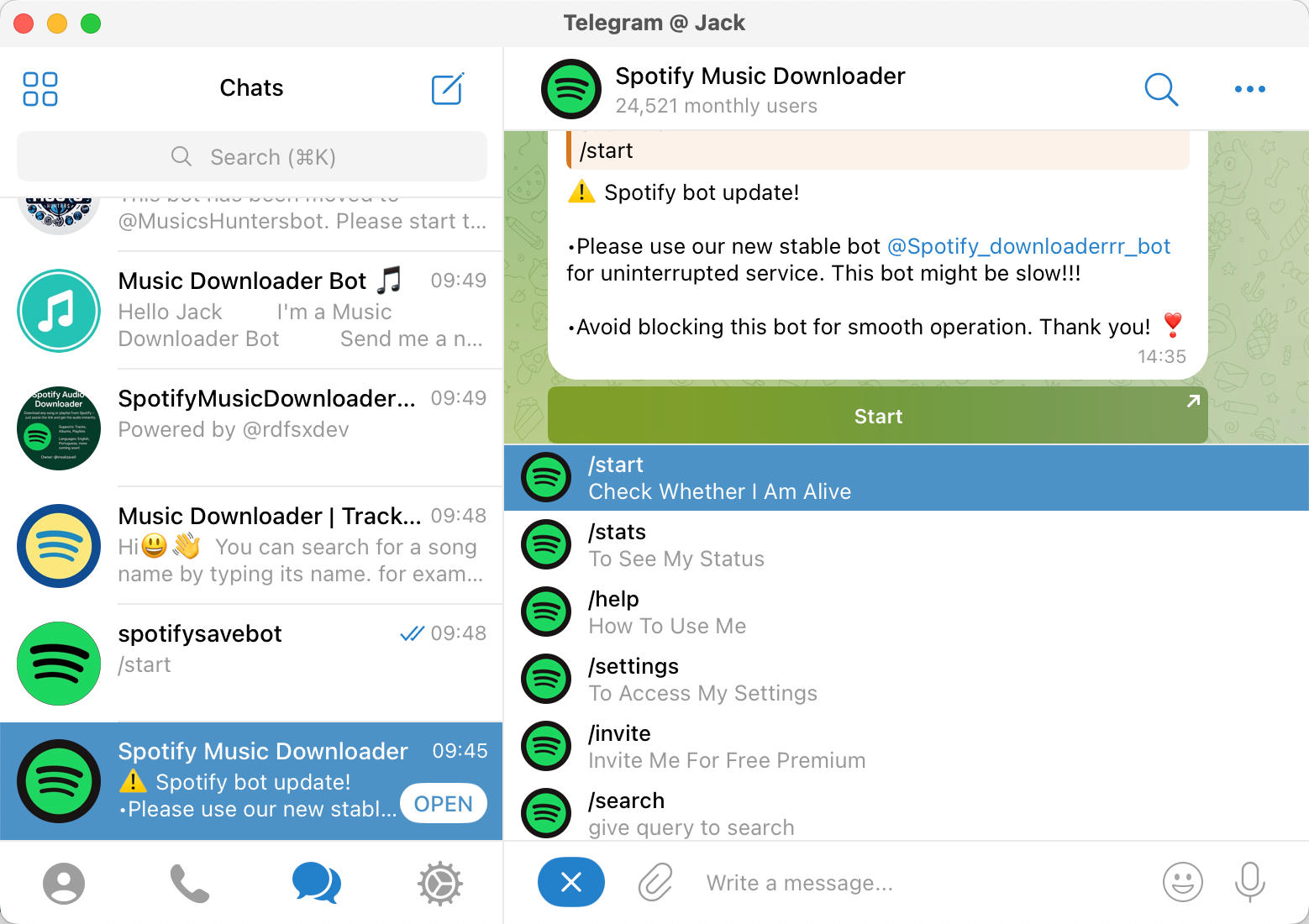
- Bots frequently go offline due to copyright issues or server shutdowns
- Large playlist downloads can be slow or fail entirely
- Metadata (cover art, tags) is often missing or incorrect
In fact, the reason people keep searching for "working Spotify downloader bot 2026" is because their favorite bots stop functioning without warning. Because of this instability, more users are turning to professional, reliable tools that aren't dependent on third-party sources — solutions that offer lossless recording, automatic track splitting, smart tag detection, and stable performance on desktop.
2. Are Spotify Telegram Bots Safe and Legal in 2026? (Concise + Real-Risk Highlights)
In short: some Telegram music bots work — but there are real, documented risks around privacy, copyright, and stability.
Here are a few concrete points drawing from community reports, security research, and broader industry actions:
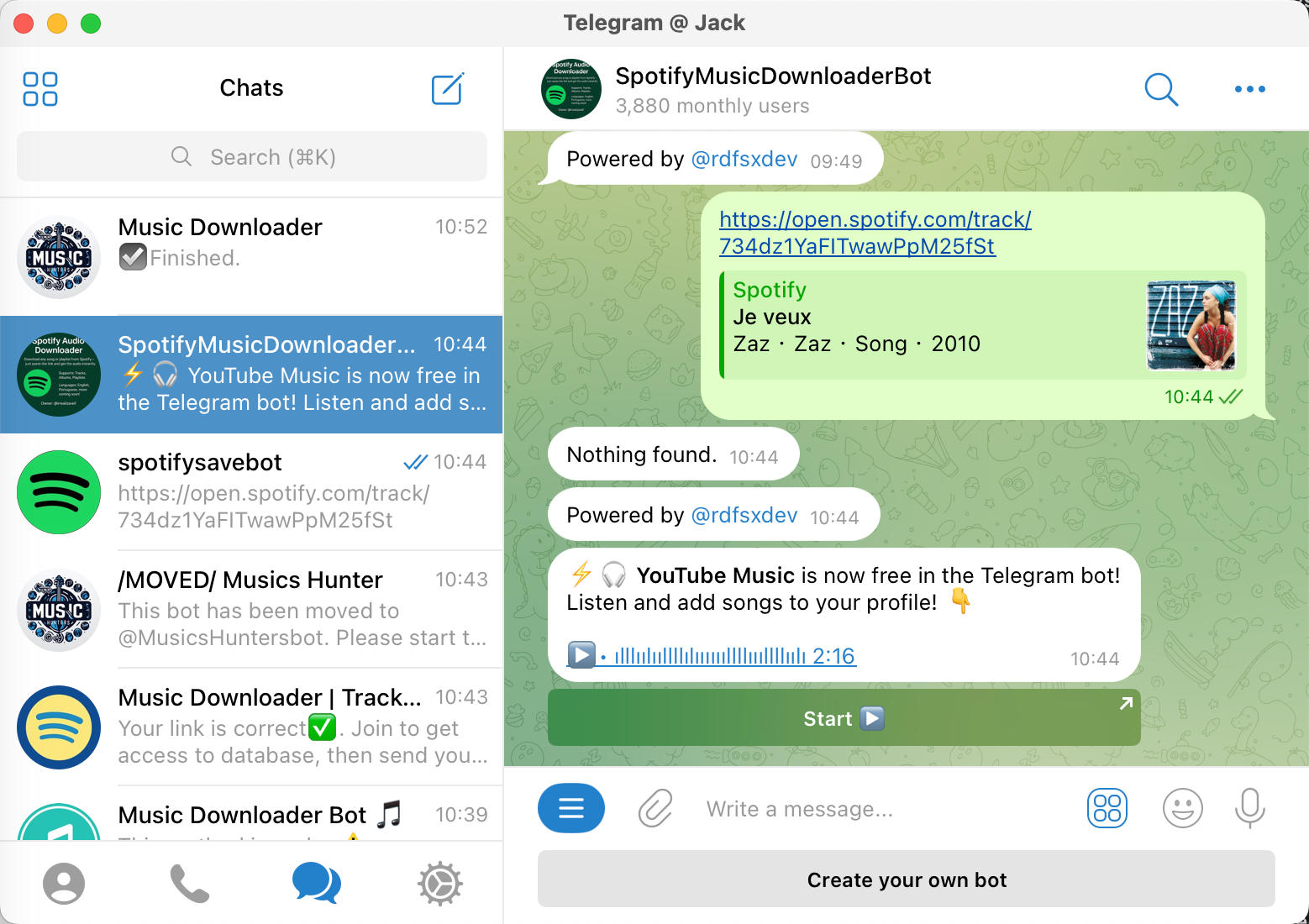
- Frequent bot shutdowns or removals: Many users on public forums report that once-popular music bots suddenly disappear or become unreachable — an indicator of copyright takedowns or enforcement action.
- Risk of malicious or compromised downloader packages: Security researchers have exposed certain downloader tools (including some distributed via open-source package platforms) that bundled backdoors or hidden tracking functionalities, turning users' machines into unwilling participants in illicit distribution networks.
- Active copyright enforcement against Telegram content: There are specialized services and groups that monitor Telegram for infringing media and issue DMCA-style takedown or block requests — increasing the odds that bots get shut down and any stored user data might be exposed or lost.
- Lack of transparency & anonymous operation: Many of these bots are open-source or maintained by anonymous developers, with no privacy policy, no disclosures on data handling, and no accountability — meaning user data (like playlists or playback habits) could be logged or misused.
Given these realities, even if a bot works today, it could break tomorrow — or worse, put your privacy, device security, or access stability at risk.
That's why many users — especially those looking for long-term, reliable, and safe music access — prefer a solution that keeps all audio processing local on their own device, with no dependence on external servers or fragile bot networks. For a detailed guide on the safest approach, check out our article on How to Record Spotify to MP3 in 320kbps.
3. Spotify Telegram Downloader Bots in 2026 — Risk & Reliability Review (Not Recommended)
Among the 20+ Spotify Telegram bots we tested, here are the most commonly mentioned ones and our findings as of early 2026 — purely for safety research and technical comparison, not as usage recommendations.
We have re-ranked them based on actual usability with Spotify links, audio quality, and success rate, but even the “better” ones still carry privacy, legal, and long-term stability risks.
> Important: The list and scores below are for educational and analytical purposes only. We strongly advise against using these bots to download copyrighted music. Instead, consider legal options or local recording tools that keep all data on your own device.
| # | Bot Name | Stability | Success Rate | Audio Quality & Metadata | Ease of Use | Overall Score |
|---|---|---|---|---|---|---|
| 1 | @SpotSeekBot | ★★★☆☆ | ★★★★☆ | ★★★★☆ (320 kbps, no album art) | ★★★★☆ | ★★★★☆ |
| 2 | @MusicsHuntersbot | ★★★☆☆ | ★★★★☆ | ★★★☆☆ (ZIP requires donation) | ★★★☆☆ | ★★★★☆ |
| 3 | @MusicDownloaderRobot | ★★★☆☆ | ★★☆☆☆ | ★★★☆☆ (single tracks only) | ★★★☆☆ | ★★★☆☆ |
| 4 | @SpotifySaveBot | ★★★☆☆ | ★★★☆☆ | ★★☆☆☆ (search only, no Spotify links) | ★★★☆☆ | ★★☆☆☆ |
| 5 | @ytsongdl_bot | ★★☆☆☆ | ★★☆☆☆ | ★★☆☆☆ (no Spotify links) | ★★☆☆☆ | ★★☆☆☆ |
| 6 | @spotifysavealotbot | ★★☆☆☆ | ★★★☆☆ | ★★☆☆☆ (M4A format, not MP3) | ★★☆☆☆ | ★★☆☆☆ |
| 7 | @SpotifyBot | ★★★☆☆ | ★☆☆☆☆ | ★☆☆☆☆ (30-sec preview only) | ★★★☆☆ | ★☆☆☆☆ |
| 8 | @DeezLoad2Bot | ★☆☆☆☆ | ★☆☆☆☆ | N/A (paid per message) | ★☆☆☆☆ | ★☆☆☆☆ |
Quick Reviews — Risks, Pros & Limitations
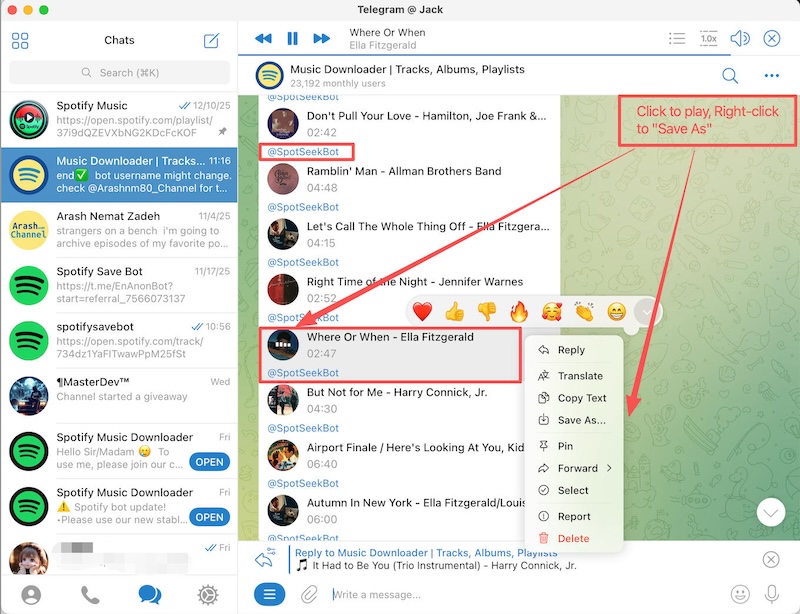
1. @SpotSeekBot (t.me/SpotSeekBot) — One of the few bots that still parses Spotify links reliably. It downloads single tracks at 320 kbps MP3. While it sometimes misses album cover art, it allows you to browse Album and Playlist lists and download tracks individually. However, it still suffers from all the core problems discussed in Sections 2 and 5 (copyright exposure, instability, and privacy concerns), so we do not recommend it for long-term use.
2. @MusicsHuntersbot (t.me/MusicsHuntersbot) — Formerly known as @MusicsHunterBot. It offers powerful "Download ALL" features for playlists. You can use "Download ALL" to get tracks one by one. Note: The convenient "ZIP download" feature now requires a donation, and — like other bots — it inherits the same legal and privacy risks that make it unsuitable as a serious long-term solution.
3. @MusicDownloaderRobot — A limited backup. Works for single track downloads only. If you try to send a full album or playlist link, it will likely fail. Even when it works, it should be treated as an unstable workaround rather than a reliable tool.
4. @SpotifySaveBot (t.me/spotifysavebot) — Search Only. Despite the name, it does NOT support Spotify links. You must type the song name to search, then choose from a list. Useful if you don't have the link handy, but less accurate.
5. @ytsongdl_bot (t.me/ytsongdl_bot) — Similar to SpotifySaveBot, this tool supports single track downloads via search but does NOT support Spotify links. Album and playlist downloads are not supported.
6. @spotifysavealotbot (t.me/spotifysavealotbot) — Strictly for Apple users or those who don't mind converting. It downloads tracks in M4A format, not MP3.
7. @SpotifyBot (t.me/spotifybot) — Misleading name. It looks official but only lets you share a 30-second preview of songs. Not useful for full track downloads.
8. @DeezLoad2Bot (t.me/DeezLoad2Bot) — Essentially a paid service now. Charges 10 Telegram Stars per incoming message. Not recommended unless you're willing to pay for every download.
⚠️ Bots That No Longer Work (Updated 2026)
During our testing, we found many previously popular bots are now completely non-functional or have been banned due to copyright issues. Here's the list of dead bots you should avoid wasting time on:
| Bot Name | Status | Notes |
|---|---|---|
| @spotdl_bot | ❌ Not Working | No longer responds |
| @Spotify_downloaderrr_bot | ❌ Not Working | Completely offline |
| @SpotifyMusicDownloaderBot | ❌ Not Working | Previously popular, now dead |
| @JayBeeSpotifyBot | ❌ Not Working | Renamed from @jaybeespotifybot, still broken |
| @Spotify_downloa2_bot | ❌ Banned | Removed due to copyright violations |
| @spotify_down_bot | ❌ Banned | Removed due to copyright violations |
| @spotify_music_downloader_tg_bot | ❌ Not Working | No longer functional |
Why so many bots are dying? As explained in Section 6, Spotify's stricter API controls, stronger encryption, and Telegram's own crackdown on copyright-infringing bots have made it nearly impossible for these services to survive long-term. If you're still searching for a "working Spotify bot," you'll likely keep hitting dead ends.
4. How to Use a Spotify Download Bot — Step-by-Step
Here's the simplified, concise version that keeps only the essentials.
Step-by-Step Guide
- Search & open the bot on Telegram (example: @SpotSeekBot).
- Tap "Start" to activate it.
- Copy a Spotify link (track/album/playlist → Share → Copy Link).
- Paste the link into the bot and send.
- Pick the correct match/format if options appear.
- Download the returned file and save it to your device.
Quick Tips
- Test one song first to check speed & accuracy.
- Avoid sending private playlist links (privacy risk).
- Don't trust bots that ask for phone numbers, payments, or external APKs.
- Bots frequently go offline — always have a backup method.
Light Warning
Spotify bots rely on unofficial third-party sources, meaning unstable quality, possible copyright issues, and privacy exposure when you send links. If you're concerned about the legal aspects of recording music, read our comprehensive guide: Is Recording Streaming Audio Legal? The Definitive Guide. For users wanting stable, long-term, no-risk downloads, a desktop recorder is usually the safer alternative.
5. Common Problems Users Face with Spotify Bots
Many users quickly discover that Telegram bots not working with Spotify is more rule than exception. Here are the main pain points:
- Failed downloads: Bots often crash mid-track or return the wrong song — your playlist can vanish in seconds.
- Slow speed: Even a 10-track playlist may take hours; servers lag, queues stall, and frustration mounts.
- Track limits: Some bots cap downloads per day or require joining spammy channels to unlock more.
- Bad quality & missing metadata: 128 kbps audio, wrong versions, missing album art — your library ends up messy.
- Unstable availability: Bots disappear overnight; yesterday's working bot may refuse to respond today.
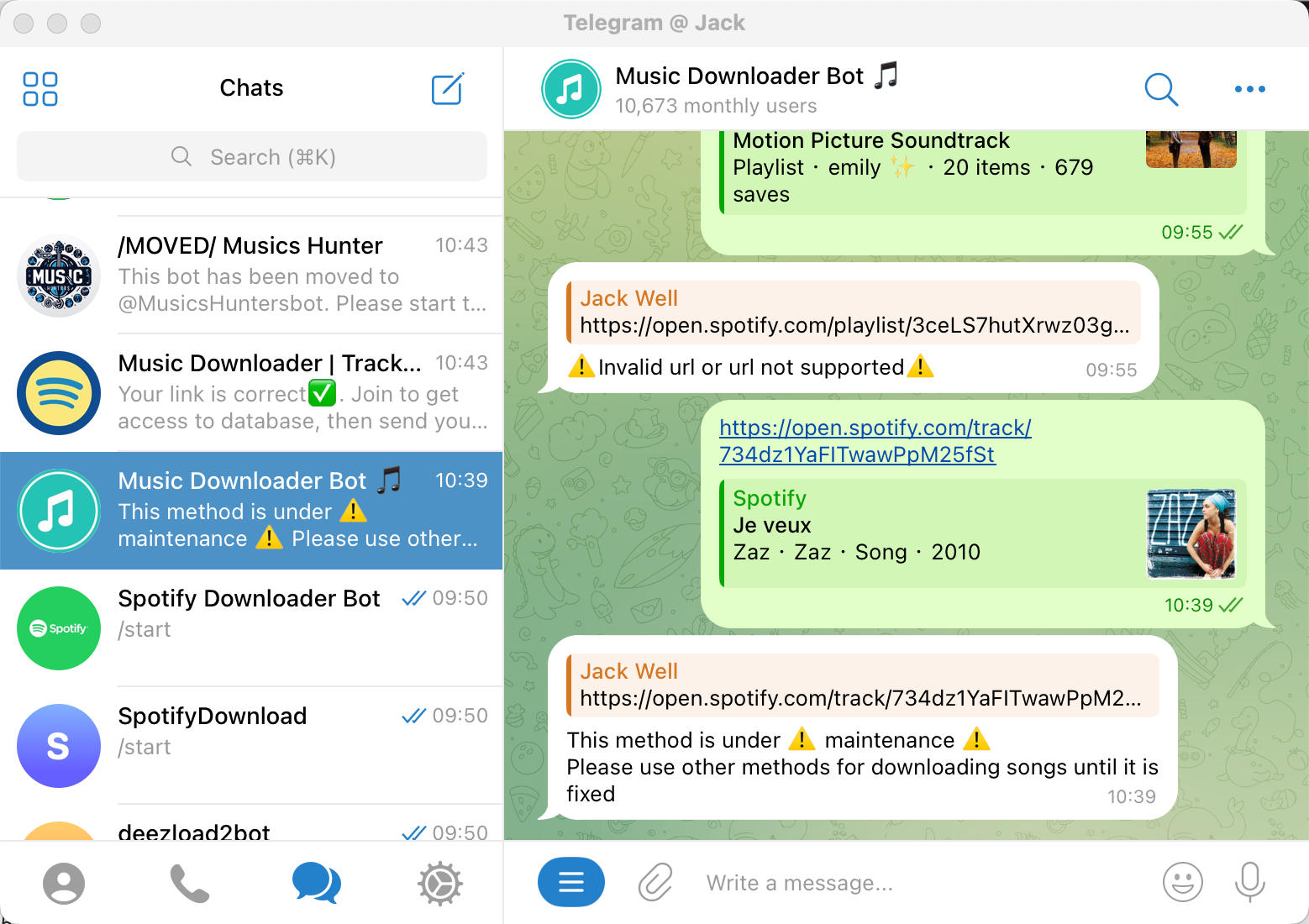
In short: if you've ever tried a Telegram bot with Spotify, you've probably experienced "bot not working Spotify" firsthand. The combination of slow, unreliable, and error-prone downloads makes them unsuitable for serious music fans.
6. Why Spotify Bots Are Becoming Less Reliable (Technical Breakdown)
Over the past two years, Spotify Telegram downloader bots have entered a clear decline, and the reason isn't just "bot owners abandoning projects."
The drop is driven by three major technical shifts happening simultaneously across the Spotify ecosystem, Telegram infrastructure, and anti-abuse enforcement.
1. Spotify's API Is Now Far More Restrictive
Most bots never had official API access—they relied on undocumented endpoints or metadata scraping.
Since 2024, Spotify has:
- Locked down anonymous metadata requests
- Enforced stricter rate-limits linked to device fingerprints
- Introduced behavioral detection that flags "bulk playlist lookups"
These changes cause bots to break unpredictably: some can fetch metadata but fail to retrieve audio, while others simply time out.
This tightening means bots now require far more maintenance to stay alive—and most developers don't keep up.
2. Stronger Encryption on Spotify Streams
Spotify shifted more audio delivery to E2E-like encrypted formats, making previous extraction methods obsolete. Bots that depended on:
- Play-session token hijacking
- Decryption via cached keys
- Reverse-engineering the desktop app
…are now failing because playback tokens expire faster and keys rotate more aggressively.
Result:many bots can still "pretend" to start downloading, but cannot deliver a file.
3. Telegram Itself Is Cracking Down on High-Risk Bots
Music-downloader bots attract DMCA complaints, and Telegram has been responding more frequently by:
- Blocking bots receiving repeated infringement reports
- Limiting file-hosting bandwidth
- Silently disabling new accounts used for bot relays
This explains why many bots are alive one day, offline the next.
7. Best Long-Term Alternative: aBreezeSoft Audio Recorder
After struggling with unstable Telegram bots, it's clear: the long-term, reliable solution is a local recording tool. Enter aBreezeSoft Audio Recorder — designed for serious music lovers who want high-quality, hassle-free recordings from any source.
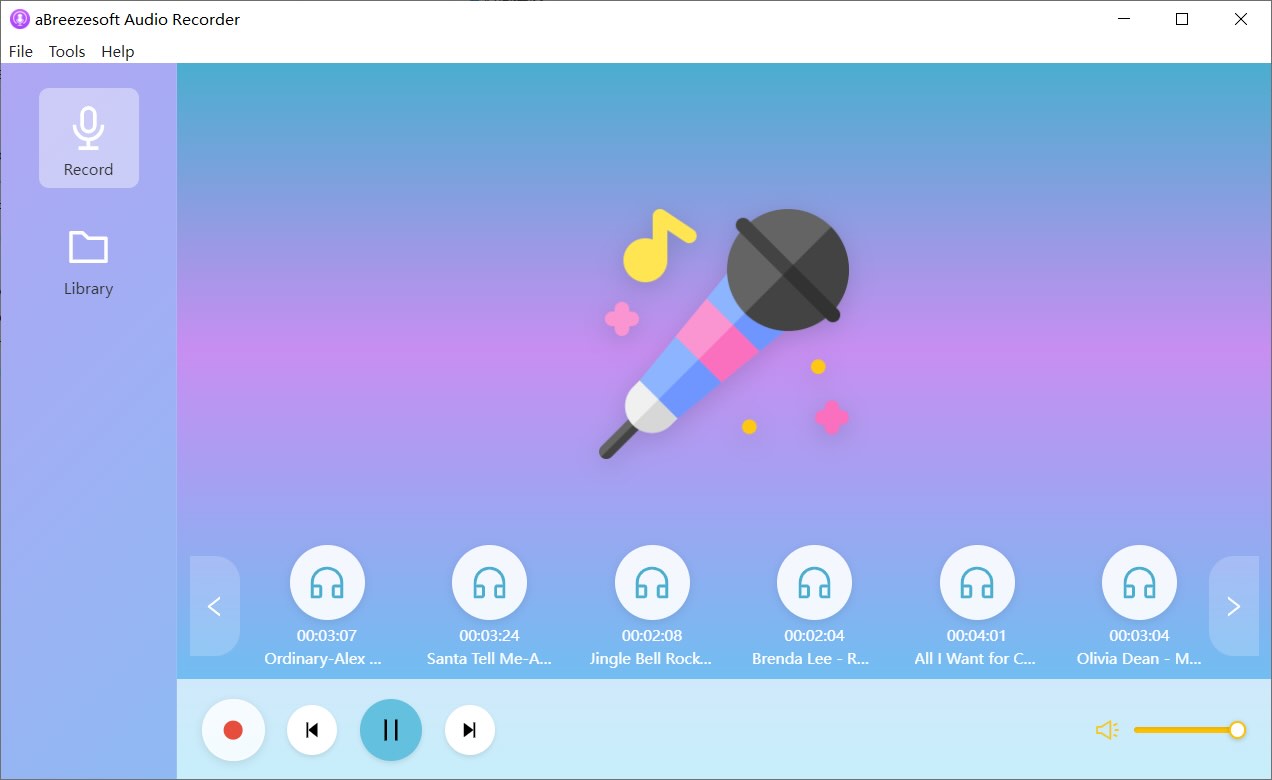
Why aBreezeSoft Stands Out
- Supports any streaming source: Spotify, YouTube, websites — record anything playing on your system.
- High-quality, lossless audio: Capture in 320 kbps MP3, AAC, FLAC, WAV with no compression artifacts from downloading. Learn more in our complete guide to recording Spotify in 320kbps.
- Automatic track splitting & tagging: Titles, album covers, artist info — all auto-filled.
- Super simple one-click recording: Just hit record; the software handles the rest.
- Windows & Mac compatible, no ads. Your music library, uninterrupted.
Comparison: Telegram Bots vs aBreezeSoft
| Feature | Telegram Bots | aBreezeSoft Audio Recorder |
|---|---|---|
| Audio Quality | Often 128–320 kbps, inconsistent | True 320 kbps / lossless |
| Source Support | Spotify only, sometimes YouTube | Any system audio / streaming source |
| Track Metadata | Often missing | Auto-recognized & applied |
| Reliability | Bots crash or disappear | Stable, offline, local recordings |
| Batch / Playlist | Slow, unreliable | Full automation, real-time splits |
| Privacy & Security | Unknown third-party servers | Fully local, no data sent online |
| Ease of Use | Varies per bot | One-click, 5-minute setup |
Usage Scenarios
- Capture entire Spotify playlists in original quality
- Record YouTube videos or web streams without downloads
- Build a personal offline library for travel or low-connectivity areas
- Preserve live streams, podcasts, or lectures
Try It Free — Your Music, Your Control
Say goodbye to failed downloads, missing tracks, and unreliable bots. With aBreezeSoft Audio Recorder, you finally get stable, high-quality, fully tagged music recordings — every track, every time.
8. Conclusion
Telegram bots may seem like a quick solution for downloading Spotify tracks, but the reality is harsh: frequent failures, slow downloads, wrong versions, missing metadata, and hidden security risks make them unsuitable for long-term music access.
For serious music lovers, aBreezeSoft Audio Recorder is the professional solution that never fails:
- Record any streaming audio in true 320 kbps / lossless quality
- Automatic track splitting and metadata tagging
- Stable, offline, and fully local — no dependency on bots or third-party servers
- Supports Spotify, YouTube, and any web audio source
Stop wasting time on bots that don't work — get full control of your music library today.
FAQ
Q1: Are Spotify Telegram bots safe to use?
A: Some bots may work temporarily, but there are privacy, malware, and copyright risks. Many bots also disappear overnight. For long-term safety, local recording tools like aBreezeSoft Audio Recorder are recommended. For more details on the legal aspects, see our guide on Is Recording Streaming Audio Legal?.
Q2: Why does my Telegram bot fail to download Spotify songs?
A: Bots rely on third-party sources (like YouTube) to match tracks. This often results in "Telegram bot not working Spotify" issues, wrong versions, or incomplete downloads. Among the 20+ bots tested, most struggle with non-mainstream tracks.
Q3: Can aBreezeSoft Audio Recorder replace Telegram bots?
A: Yes. aBreezeSoft Audio Recorder records system audio locally, so you get reliable, high-quality tracks, proper metadata, and full privacy without relying on unstable bots. Check out our step-by-step recording guide to get started.
Q4: Which formats does aBreezeSoft Audio Recorder support?
A: MP3, M4A, AAC, FLAC, OGG, WAV, WMA, AIFF, Opus, M4R — choose the format that suits your library or device.
Q5: Does aBreezeSoft Audio Recorder work on Mac and Windows?
A: Yes, fully compatible with both platforms, with no ads or hidden restrictions.
✅ Take Action Now: Stop struggling with unreliable Telegram bots. Record, tag, and save your favorite music in full quality with aBreezeSoft Audio Recorder.
Try aBreezeSoft Audio Recorder Free