Table of Contents
- What Is MP3?
- What Is WAV?
- MP3 vs WAV: Key Differences
- Which Format Is Better for Recording Music?
- How to Record Music in MP3 or WAV with aBreezeSoft Audio Recorder?
- Frequently Asked Questions
- Conclusion
Introduction
When recording music, one of the first decisions you'll need to make is choosing the right audio format. While it may seem like a small detail, the format you select can affect audio quality, file size, editing flexibility, and overall listening experience. Among the many audio formats available today, MP3 and WAV remain the two most popular options. MP3 is known for its compact file size and broad compatibility, while WAV is preferred by audio professionals for its uncompressed, high-quality sound. So, which format is better for recording music? The answer depends on your recording goals, storage needs, and intended use. In this guide, we'll compare MP3 and WAV in detail to help you choose the best format for your recordings.
Part 1: What Is MP3?
MP3 (MPEG-1 Audio Layer III) is a lossy compression format. That means when an audio file is converted to MP3, the encoding algorithm analyzes the sound and strips out data it determines to be less perceptible to the human ear, frequencies outside typical hearing range, subtle background details, and audio information that gets masked by louder sounds happening at the same time.
The result is a dramatically smaller file size compared to the original recording, often 80-90% smaller. This is precisely why MP3 became the format of the digital music era; it made it feasible to store and transfer music when storage and bandwidth were expensive and limited.
The tradeoff is that this process permanently discards audio data. Once compressed, you can't get that information back. The amount of data removed depends on the bitrate you choose (commonly measured in kbps, kilobits per second). Higher bitrates like 320kbps retain more detail and sound closer to the original, while lower bitrates like 128kbps sacrifice more quality for smaller files.
Advantages of MP3
Small storage requirements: Because so much data is stripped out, MP3 files take up a fraction of the space of uncompressed formats. A three-minute song might be 3-5MB as an MP3 versus 30-50MB as a WAV file.
Easy sharing and downloading: Smaller files transfer faster over the internet, upload more quickly to cloud storage, and are easier to email or message to others without hitting file size limits.
Wide device compatibility: Nearly every smartphone, computer, car stereo, smart speaker, and media player on the market supports MP3 playback natively. It's the closest thing to a universal audio format.
Disadvantages of MP3
Loss of audio quality: Because compression permanently removes audio data, MP3 files can sound noticeably worse than the source, especially at lower bitrates. Listeners may notice a loss of clarity, depth, or detail, particularly in complex musical passages or on high-quality playback equipment.
Less suitable for professional editing: Every time an MP3 is edited and re-exported, it can undergo additional compression, compounding quality loss (a phenomenon sometimes called "generation loss"). This makes MP3 a poor choice as a working format for serious audio editing or mastering.
Part 2: What Is WAV?
WAV (Waveform Audio File Format) is, in its most common form, an uncompressed audio format. Rather than discarding data to save space, WAV stores the raw audio waveform essentially as it was captured every sample, every bit of detail, preserved exactly.
This makes WAV the digital equivalent of a master recording. Because nothing is removed or approximated, WAV files preserve the original sound quality captured during recording. This is why WAV (along with similar formats like AIFF) is commonly used in professional audio production — recording studios, film post-production, broadcast, and mastering engineers rely on it as their standard working format.
Advantages of WAV
Excellent audio quality: Since no compression is applied, WAV files retain the full fidelity of the original recording, capturing nuances and detail that compressed formats simply cannot.
Ideal for editing and mastering: Because WAV doesn't degrade with repeated saves and edits, it's the preferred format throughout the production process, recording, mixing, layering effects, and mastering, where every edit needs to start from a clean, full-quality source.
No compression artifacts: Lossy formats can introduce subtle distortions or "artifacts" in the sound, especially in busy or dynamic passages. WAV avoids this entirely since it doesn't compress the data.
Disadvantages of WAV
Large file sizes: A few minutes of WAV audio can easily be tens of megabytes, and longer recordings or multi-track sessions can quickly balloon into gigabytes.
Requires more storage space: This isn't just an inconvenience for a single file if you're recording frequently, archiving sessions, or working with multiple takes; WAV files can consume storage drives, cloud accounts, and backup systems far faster than MP3.
Part 3: MP3 vs WAV: Key Differences
| Feature | MP3 | WAV |
|---|---|---|
| Audio Quality | Good | Excellent |
| Compression | Lossy | Uncompressed |
| File Size | Small | Large |
| Editing Flexibility | Limited | Excellent |
| Storage Usage | Low | High |
| Streaming Compatibility | Excellent | Good |
| Professional Production | Not Ideal | Recommended |
| Sharing & Downloading | Easy | Less Convenient |
Part 4: Which Format Is Better for Recording Music?
There's no universal "winner" here; the right format depends on your specific recording goals.
Choose MP3 If:
- You want smaller file sizes. If storage and bandwidth matter more than absolute fidelity, MP3's compact size is a major practical advantage.
- You record long sessions. Extended recordings, lectures, long-form podcasts, and live streams can become unwieldy in WAV format. MP3 keeps these manageable.
- You plan to share files online. Faster uploads, smaller email attachments, and broader compatibility make MP3 the more convenient choice for distribution.
- Storage space is limited. If you're recording on a device with limited internal storage, or you simply don't want to manage huge archives, MP3 is the practical option.
Choose WAV If:
- You want the highest possible audio quality. When fidelity is non-negotiable, say, recording a vocal performance or an instrument you'll mix professionally, WAV preserves everything.
- You edit recordings professionally. If your workflow includes multiple rounds of editing, layering, EQ, or mastering, WAV avoids the generational quality loss that comes with re-exporting compressed files.
- You archive important recordings. For recordings you consider irreplaceable original masters, important interviews, and archival material, WAV ensures you're keeping the best possible version for the future.
- Storage space is not a concern. If you have ample local storage or cloud capacity, there's little reason to sacrifice quality just to save space.
Part 5: How to Record Music in MP3 or WAV with aBreezeSoft Audio Recorder?
If you're looking for a simple way to record music in either MP3 or WAV format, aBreezeSoft Audio Recorder is an excellent choice. It can capture audio from Spotify, YouTube Music, Apple Music, online radio stations, podcasts, and other streaming platforms while preserving high sound quality. The software also supports automatic ID3 tagging, ad removal, and multiple output formats, making it easy to create a well-organized music library.
How to Record Music in MP3 or WAV with aBreezeSoft Audio Recorder?
Step 1: Download and install aBreezeSoft Audio Recorder on your Windows or Mac device. After installation is finished, open the software to start setting up your Spotify recording session.
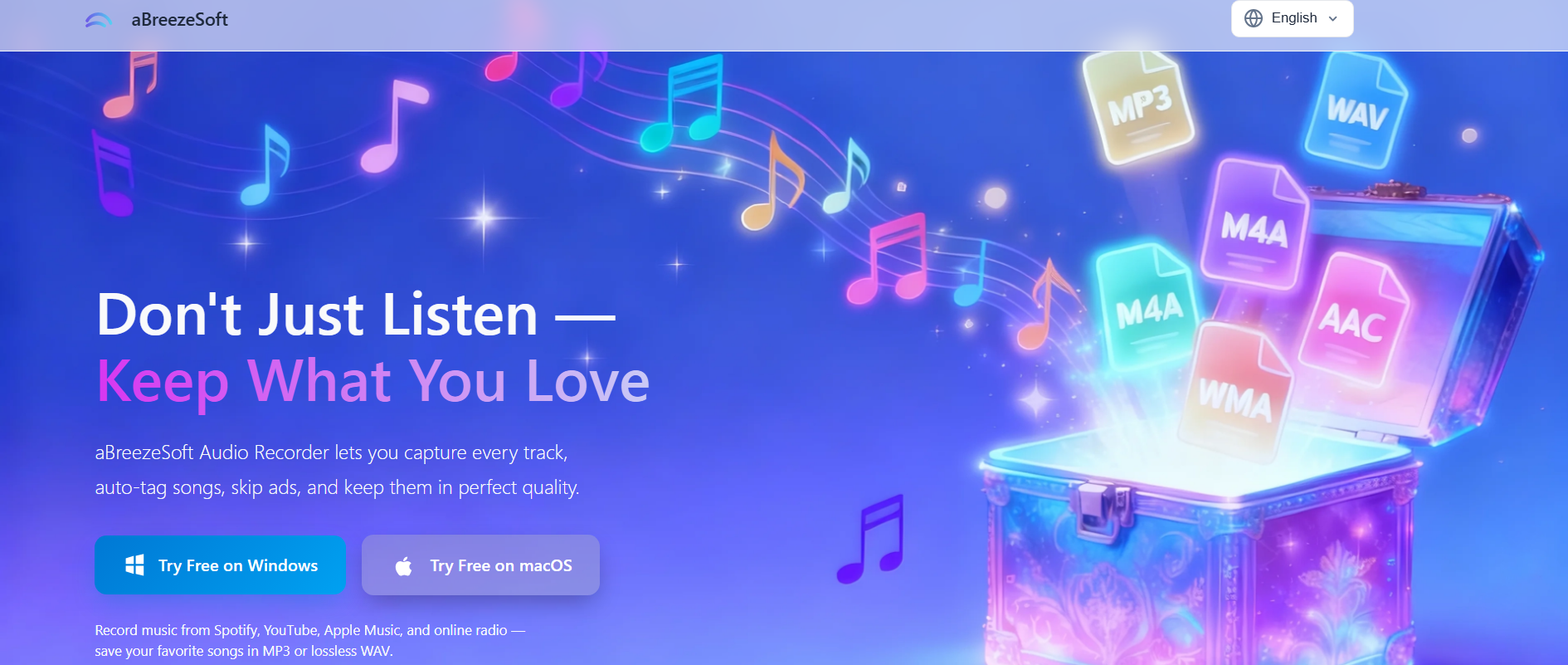
Step 2: Once the program opens, you'll land on the main dashboard. From there, go to the "Record" section in the menu and click the red Record button to activate audio capture from your system.
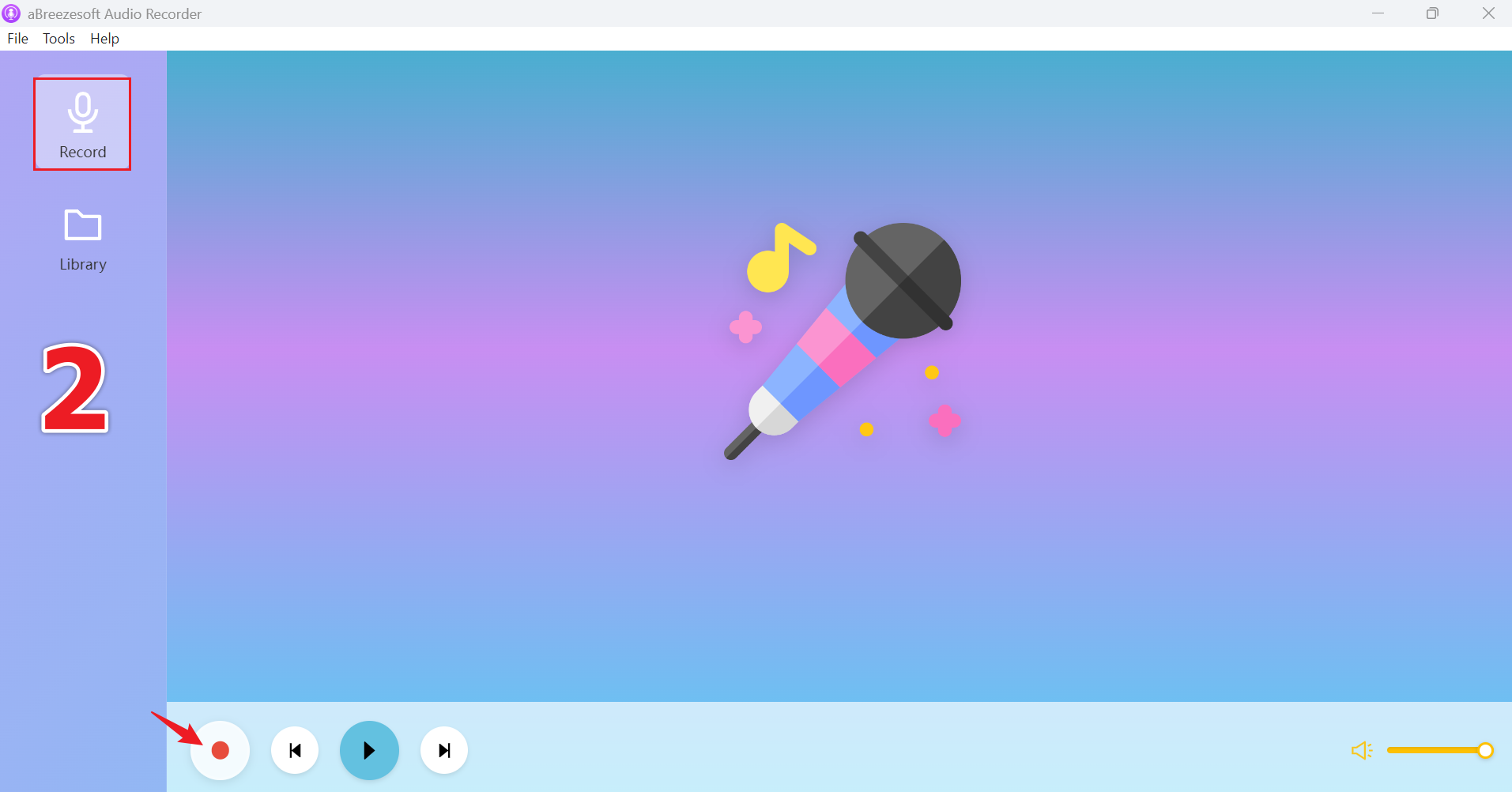
Step 3: Open your preferred music streaming service and start playback. aBreezeSoft Audio Recorder will automatically capture the audio stream and detect available song metadata during recording.
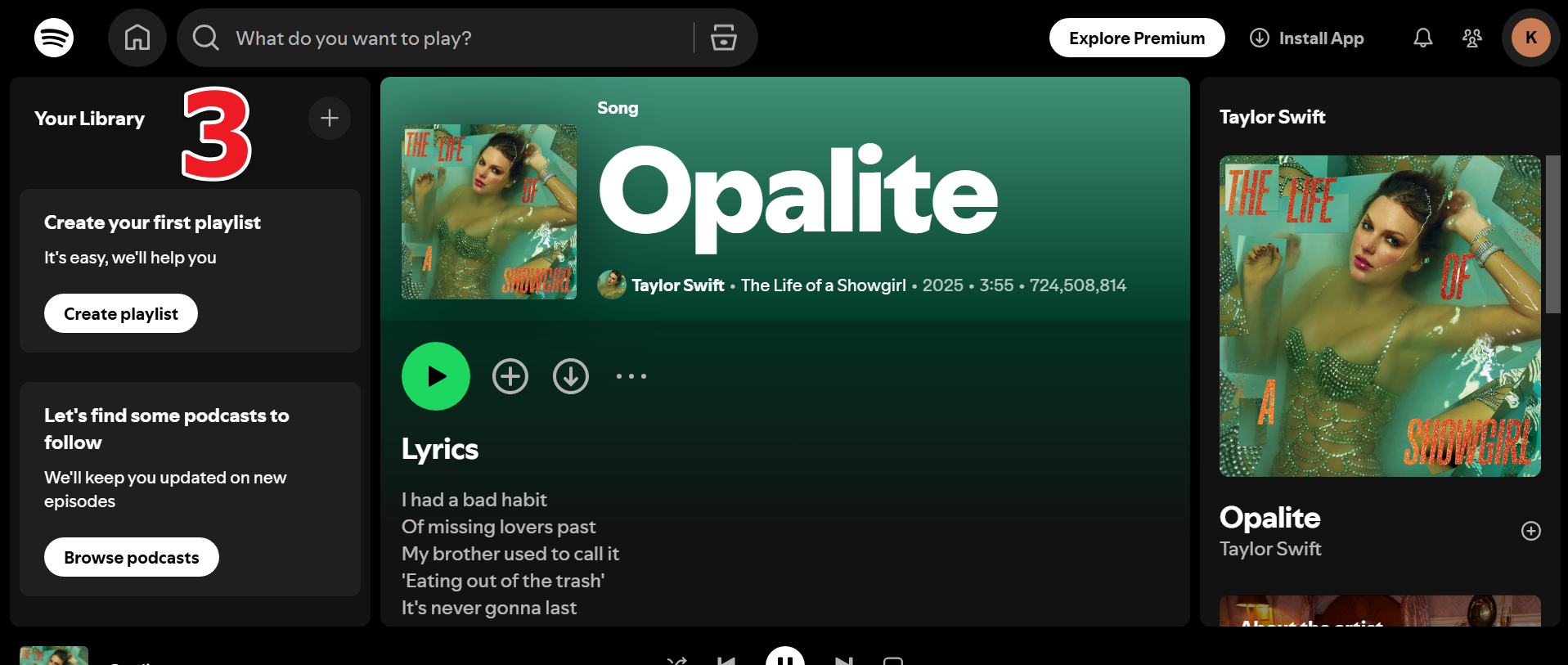
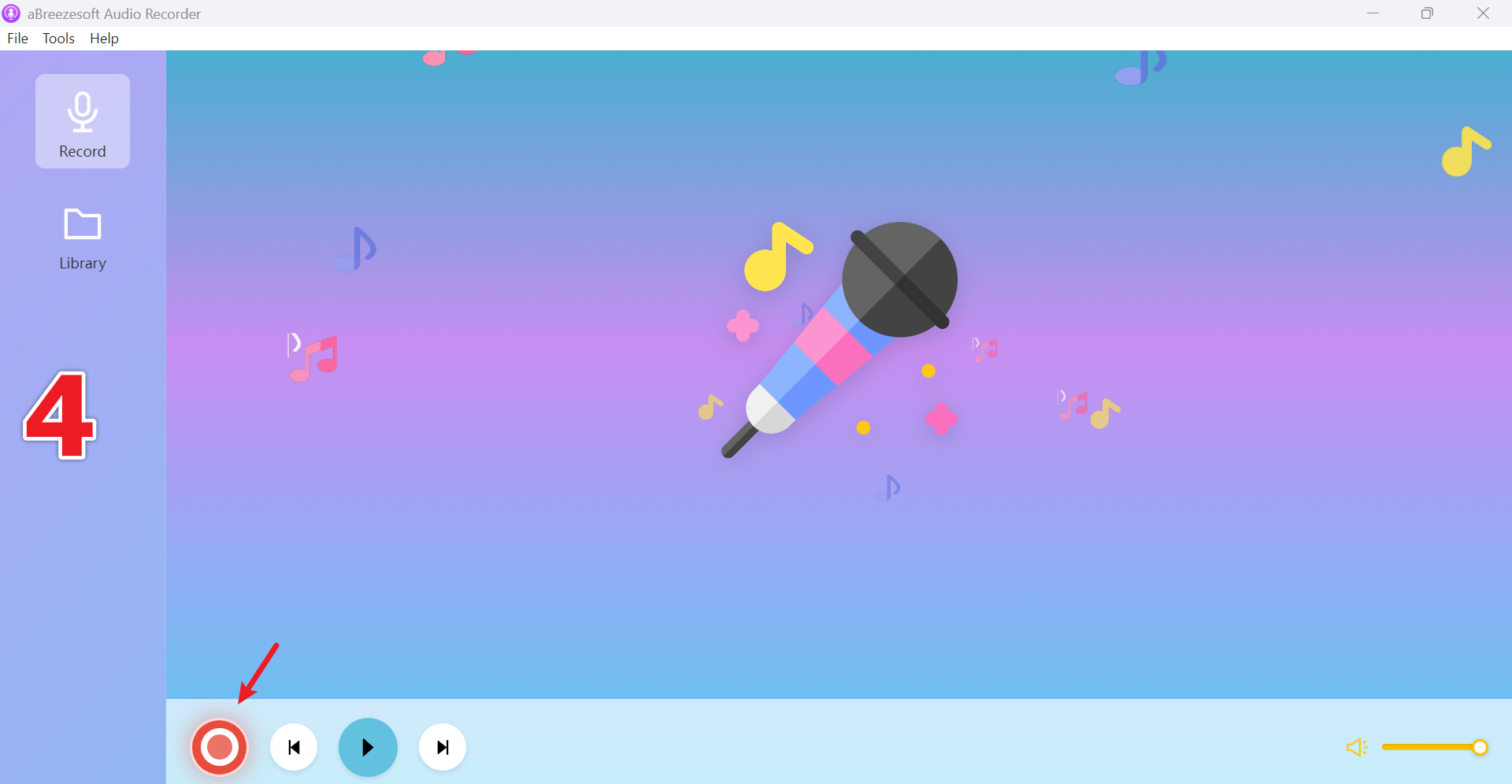
Step 4: When the recording is complete, click Stop. The software will save the audio file and automatically add available ID3 tags, including song title, artist, album, genre, and album artwork.
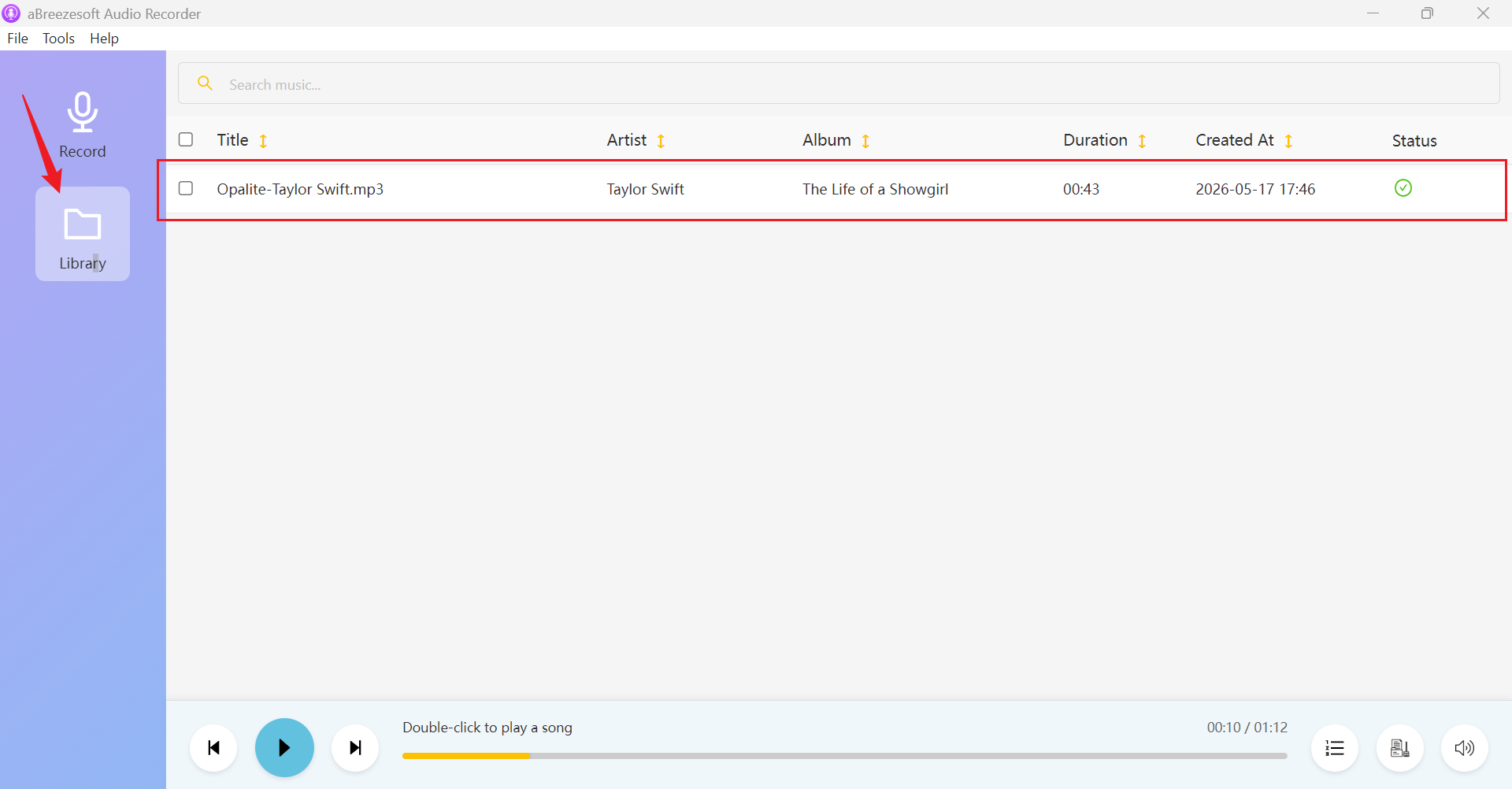
Step 5: Go to the Library section to view all recorded tracks. You can listen to recordings, edit metadata if needed, or right-click a file and select Open File Location to access it directly on your computer.
Frequently Asked Questions
Q1: Is WAV better than MP3 for recording music?
WAV generally offers better audio quality because it's uncompressed, making it the better choice for professional recording and editing. However, "better" depends on context; if file size and convenience matter more than absolute fidelity, MP3 may be the more practical choice.
Q2: Can I convert WAV to MP3 later?
Yes. Most audio software, including dedicated recorders and editors, allows you to convert WAV files to MP3 after recording. This is a common workflow: record in WAV for quality, then convert to MP3 when you need a smaller file for sharing.
Q3: Does MP3 always sound worse than WAV?
Not necessarily in every listening scenario. At high bitrates (such as 320kbps), the difference can be very difficult for most listeners to detect on standard playback equipment. The gap becomes more noticeable at lower bitrates or during critical, detailed listening on high-quality audio gear.
Q4: Which format is best for Spotify recordings?
For casual listening, sharing, or uploading to streaming-adjacent platforms, MP3 is typically sufficient and far more practical due to its smaller size and broad compatibility. If you intend to professionally master a track before distribution, starting with a WAV recording preserves quality through the editing process.
Q5: Does WAV take up more storage space?
Yes, significantly more. Since WAV files are uncompressed, they can be 5-10 times larger than an equivalent MP3 file, which is an important consideration if you're recording frequently or have limited storage.
Conclusion
When it comes to MP3 vs WAV, the core tradeoff boils down to quality versus efficiency. WAV offers maximum quality, preserving every detail of a recording with no compression artifacts, making it the go-to choice for professional editing, mixing, and archiving. MP3 provides better storage efficiency, with small file sizes that are easy to share, stream, and store in bulk, ideal for everyday recording needs where convenience matters more than studio-grade fidelity. Ultimately, the right choice comes down to your specific recording needs: choose WAV when quality is paramount, and storage isn't a constraint, and choose MP3 when practicality, sharing, and storage space take priority. Fortunately, you don't have to pick just one format forever aBreezeSoft Audio Recorder supports both MP3 and WAV, giving you the flexibility to record in whichever format best suits each project.